Why Your Motherboard Choice Actually Matters for Streaming
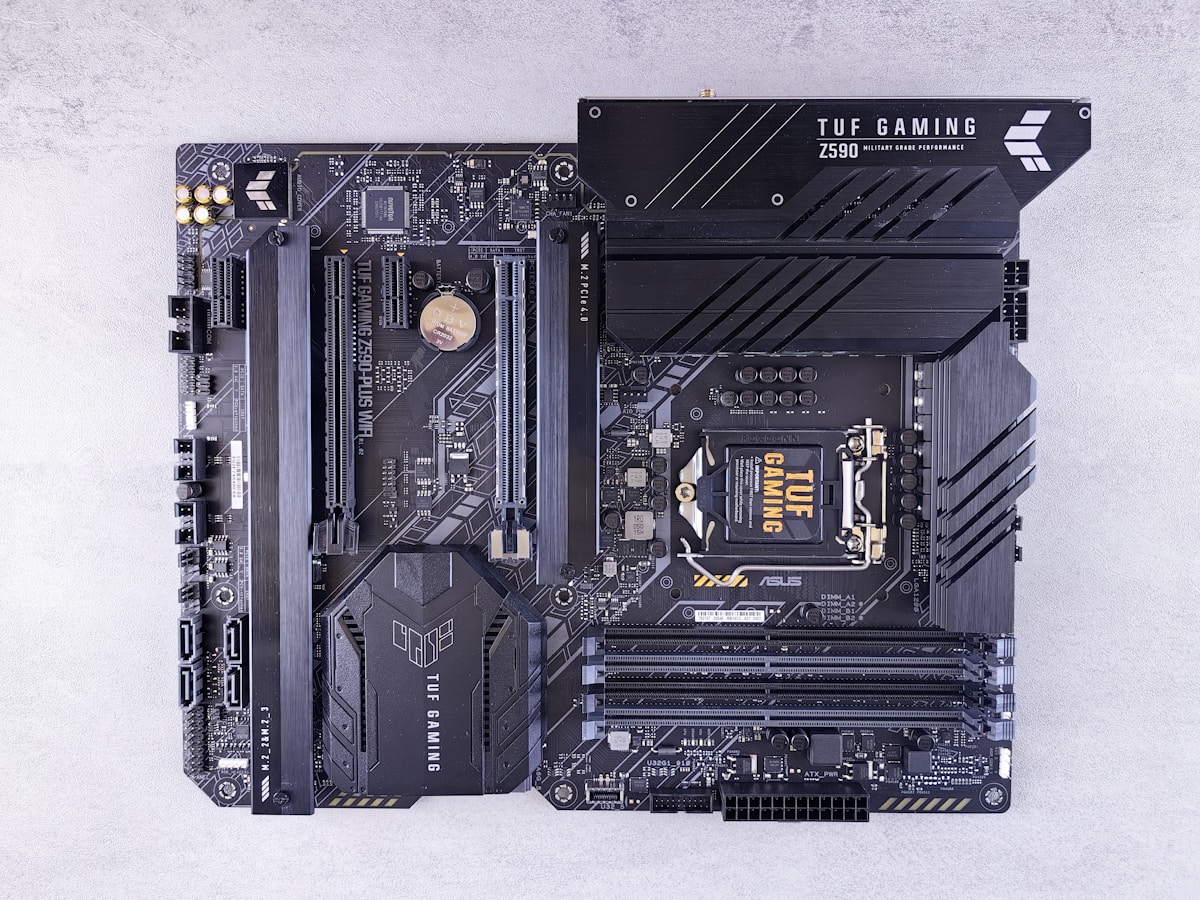
Here’s the thing most streamers get wrong: they obsess over GPUs and CPUs while treating the motherboard as an afterthought. Big mistake. Your motherboard determines how many capture cards you can run, how stable your USB connections stay during 8-hour streams, and whether your system can actually handle encoding without dropping frames.
I’ve seen too many streamers buy a cheap board, slap in a Ryzen 9 or i9, then wonder why their USB microphone cuts out randomly or their capture card loses signal. The motherboard is your system’s nervous system. Cheap out here, and everything suffers.
For streaming specifically, you need solid VRM cooling (your CPU works hard during encoding), plenty of high-speed USB ports, and reliable LAN connectivity. PCIe 5.0 support is nice for future-proofing, but honestly, most streamers won’t need it for another 2-3 years.
1. ASUS ROG Strix X670E-E Gaming WiFi — The Premium Pick

This board costs around $480, and yeah, that’s steep. But if you’re running a Ryzen 7000 series chip and want zero compromises, it’s worth every penny.
The 18+2 power stages handle even an overclocked 7950X without breaking a sweat. You get four M.2 slots, which means dedicated drives for your OS, games, stream recordings, and VOD storage. The 2.5Gb LAN plus WiFi 6E gives you options — always hardwire for streaming if possible, but the WiFi backup has saved my bacon during ethernet cable failures.
What really sells this for streamers: the USB layout. You’re looking at USB 3.2 Gen 2×2 Type-C, multiple Gen 2 ports, and rock-solid power delivery to those ports. No more phantom disconnects on your GoXLR or Elgato devices.
The BIOS is intuitive too. ASUS has nailed their UEFI experience, making fan curves and XMP profiles dead simple to configure.
2. MSI MAG B650 Tomahawk WiFi — Best Value for AMD Streamers
At around $230, the Tomahawk hits a sweet spot that’s hard to argue with. You sacrifice some premium features but keep everything a streamer actually needs.
The 12+2+1 power stages handle a 7800X3D perfectly, which is honestly the ideal streaming CPU right now anyway. You dont need a 7950X unless you’re doing heavy video editing alongside your streams. The B650 chipset gives you PCIe 5.0 on the main GPU slot and one M.2 slot — plenty for current hardware.
I particularly like the Debug LED on this board. When something goes wrong (and something always goes wrong eventually), having POST codes displayed saves hours of troubleshooting. The reinforced PCIe slot also prevents GPU sag, which matters when you’re running a chunky RTX 4080.
One minor gripe: only three M.2 slots versus four on pricier boards. If you’re a storage hoarder like me, you might feel the squeeze eventually.
3. Gigabyte Z790 AORUS Elite AX — Intel’s Sweet Spot

For Intel 13th and 14th gen streamers, this $290 board delivers flagship-adjacent performance without the flagship price tag.
The 16+1+2 power phases keep an i7-14700K cool under sustained encoding loads. Gigabyte’s VRM design here is genuinely impressive for the price — they didn’t cheap out on the components that matter. You’re getting 70A power stages, not the 50A budget parts found on sub-$200 boards.
Connectivity shines too. The 2.5Gb Intel LAN is reliable (Realtek has come a long way, but Intel still edges them out for stability), and the WiFi 6E implementation works flawlessly. Four M.2 slots give you room to grow, and the Q-Flash Plus feature lets you update BIOS without a CPU installed — handy when new chip support requires a firmware update.
If you’re building around an Intel chip and want to pair it with a quality gaming monitor for competitive streaming, this board provides the foundation without eating your entire budget. Speaking of monitors, if you’re also in the market for a display upgrade, check out our best gaming monitors for competitive esports 2024 roundup.
4. ASUS ProArt X670E-Creator WiFi — The Workstation Hybrid
Streamers who also do video editing, 3D work, or music production should look here. At $500, it’s expensive, but the feature set justifies it for multi-taskers.
This board includes dual Thunderbolt 4 ports — something almost no gaming motherboard offers. That means direct connection to professional audio interfaces, fast external storage, and daisy-chaining capabilities. The 10Gb LAN port is overkill for most streamers, but if you’re uploading 4K VODs to YouTube regularly, it cuts transfer times dramatically on fast internet connections.
The aesthetic is understated too. No RGB vomit, just clean blacks and subtle branding. Perfect if your streaming setup doubles as a professional workspace and you want something that looks grown-up on camera.
Power delivery matches the ROG Strix with 18+2 stages, so CPU performance is identical. You’re really paying for the creator-focused I/O here.
5. ASRock B650E PG Riptide WiFi — Budget King
Can you build a serious streaming rig for under $180 on the motherboard? Absolutely. The PG Riptide proves it.
You get PCIe 5.0 support on both the GPU slot and primary M.2 — unusual at this price. The 14-phase power delivery handles a 7700X without thermal issues, though I’d stick to stock settings on the 7900X or higher. ASRock’s BIOS isn’t as polished as ASUS or MSI, but it’s functional and stable.
The Realtek 2.5Gb LAN works fine for streaming — I’ve used Realtek controllers for years without issues despite the internet complaints. WiFi 6E is included, and the rear I/O gives you enough USB ports for a basic streaming setup.
Where this board compromises: only two M.2 slots, basic onboard audio (plan on an external DAC or mixer anyway), and no fancy debugging features. But if you’re building a budget gaming PC for streaming, those sacrifices make sense.
6. MSI MEG Z790 ACE — For Absolute Overkill
Some streamers want the best, period. If that’s you and money is secondary, the MEG Z790 ACE at $680 delivers everything.
We’re talking 24+1+2 power phases with 105A stages — enough to run an i9-14900KS at full tilt indefinitely. The integrated I/O shield and pre-installed rear panel eliminate assembly headaches. Five M.2 slots with individual heatsinks, 10Gb LAN plus WiFi 7, and USB ports for days.
The real flex? A dedicated streaming optimization in BIOS that prioritizes encoding workloads. It’s subtle, but MSI actually tuned this board with content creators in mind.
Is it necessary? No. Will it last through multiple CPU generations? Probably. If you’re earning real money from streaming, consider it a business investment.
7. Gigabyte B650 AORUS Elite AX — The “Just Right” Option
At $200 even, this might be the most sensible choice for 80% of streamers. It does nothing exceptionally, but everything competently.
12+2+2 power phases, four M.2 slots, 2.5Gb LAN, WiFi 6E, decent VRM cooling, and a clean BIOS. And it pairs perfectly with any Ryzen 7000 chip up to the 7800X3D — which, again, is the streaming sweet spot anyway.
The RGB implementation is tasteful rather than overwhelming, and Gigabyte’s software ecosystem has improved dramatically. RGB Fusion still isn’t as good as Armoury Crate, but it’s no longer the frustrating mess it was three years ago.
For streamers also investing in quality peripherals — maybe a solid gaming headset for competitive play or a proper mechanical keyboard — this board leaves budget room for those upgrades while still providing a rock-solid foundation.
What About DDR4 vs DDR5?
Quick note: every board on this list runs DDR5. In 2024, the DDR4 vs DDR5 debate is basically over. DDR5 prices have normalized, performance advantages are measurable in encoding workloads, and future platforms won’t support DDR4 anyway.
Don’t buy a DDR4 motherboard for a new streaming build. You’re just delaying an inevitable platform change.
Final Thoughts
Your motherboard choice depends on your CPU platform and budget, but streamers specifically should prioritize USB stability, VRM quality, and LAN reliability over flashy features like excessive RGB or cutting-edge PCIe 5.0 storage support.
The MSI MAG B650 Tomahawk WiFi offers the best overall value for AMD builds. The Gigabyte Z790 AORUS Elite AX wins for Intel. And if you’re just starting out, the ASRock B650E PG Riptide proves you don’t need to spend big to stream well.
Pick the board that matches your CPU choice, leave room in your budget for a quality capture card and microphone, and you’ll be set for years of reliable streaming.