Why 2024 Is Actually Great for Budget PC Gaming
Here’s the thing most tech YouTubers won’t tell you: budget gaming has never been this good. Seriously. The used market is flooded with previous-gen parts, AMD keeps pushing affordable APUs, and Intel’s finally competing on price again.
You don’t need $1,500 to play games at decent settings. Not even close. I’ve helped friends build capable gaming rigs for under $400 that handle Fortnite, Valorant, and even some AAA titles without breaking a sweat.
Let’s cut through the noise and build something real.
Understanding Your Budget Tiers

Before picking parts, you need honest expectations. Budget gaming PCs fall into three realistic categories:
Under $300 — You’re looking at integrated graphics or used GPUs. Expect 1080p gaming at low-medium settings. Esports titles run great. Newer AAA games? Playable, but you’ll make compromises.
$300-$500 — The sweet spot. Dedicated graphics, decent CPU, room to upgrade later. Most games at 1080p medium-high settings. This is where I’d aim if you can stretch your budget.
$500-$700 — Technically still “budget” in 2024 terms. You’ll get surprisingly capable performance here. Some 1440p gaming becomes realistic.
The $280 Starter Build: APU Power
This build skips a dedicated graphics card entirely. Sounds crazy? AMD’s integrated graphics have gotten shockingly good.
Parts List
- CPU/GPU: AMD Ryzen 5 5600G — $110
- Motherboard: Gigabyte B450M DS3H — $55 (used) or $70 new
- RAM: 16GB DDR4 3200MHz (2x8GB) — $35
- Storage: 500GB NVMe SSD — $30
- Power Supply: EVGA 500W 80+ Bronze — $35
- Case: Thermaltake Versa H17 — $25
Total: ~$280-$300
Why This Works
The Ryzen 5 5600G packs Vega 7 integrated graphics. Its not gonna win any benchmark competitions, but it handles Valorant at 100+ fps, Fortnite at 60+ fps medium settings, and even runs GTA V acceptably.
The dual-channel RAM is critical here. APUs share system memory, so fast RAM directly impacts gaming performance. Don’t cheap out with single-stick kits — you’ll lose 30-40% performance.
Build Tips
Pair this motherboard with a BIOS update for Ryzen 5000 support. Most B450 boards ship updated now, but check before buying used. Nothing worse than a dead system because your board doesn’t recognize the CPU.
The $450 Sweet Spot Build

This is my go-to recommendation for anyone serious about budget gaming. Real dedicated graphics, real gaming performance.
Parts List
- CPU: Intel Core i3-12100F — $85
- Motherboard: MSI PRO B660M-A — $90
- GPU: AMD RX 6600 — $150 (new) or $120 (used)
- RAM: 16GB DDR4 3200MHz — $35
- Storage: 1TB NVMe SSD — $55
- Power Supply: Corsair CX550 — $50
- Case: Cooler Master Q300L — $45
Total: ~$450-$510
Performance Expectations
The RX 6600 punches way above its price class. We’re talking Cyberpunk 2077 at 1080p high settings around 60 fps. Elden Ring runs beautifully. Competitive games hit 200+ fps easily.
The i3-12100F sounds weak on paper — four cores? In 2024? But those four cores absolutely rip for gaming. Single-thread performance matters more than core count for most titles, and Intel nailed it here.
Where to Find Deals
Facebook Marketplace and r/hardwareswap are goldmines for the RX 6600. Miners dumped thousands of them last year. Look for cards under $130 with original packaging. I’ve seen people score them for $100 flat with patience.
If you’re comparing startup approaches like bootstrapping vs. VC funding, budget PC building follows similar logic — resourcefulness beats throwing money at problems.
The $650 “Actually Impressive” Build
Want to surprise people with what budget hardware can do? This build competes with $900+ prebuilts.
Parts List
- CPU: AMD Ryzen 5 5600 — $120
- Motherboard: MSI B550M PRO-VDH — $85
- GPU: AMD RX 6650 XT — $200
- RAM: 32GB DDR4 3600MHz — $65
- Storage: 1TB NVMe SSD — $55
- Power Supply: Corsair RM650 — $70
- Case: Fractal Design Focus G — $55
Total: ~$650
Why Go This Route
The RX 6650 XT delivers legitimate 1440p gaming. Not compromised 1440p — actual enjoyable 1440p at reasonable settings. Pair it with the Ryzen 5 5600, and you’ve got zero bottlenecks.
32GB RAM might seem overkill for budget gaming. It isn’t. Modern games increasingly want 16GB+, and having headroom for browser tabs, Discord, and streaming software makes the experience smoother. The price difference is $30. Worth it.
Step-by-Step Assembly Guide
Got your parts? Let’s build this thing.
Step 1: Prep Your Workspace
Clear a table, get good lighting, and find a Phillips screwdriver. That’s literally all you need. Anti-static wristbands are nice but unnecessary if you occasionally touch your case’s metal frame.
Step 2: CPU Installation
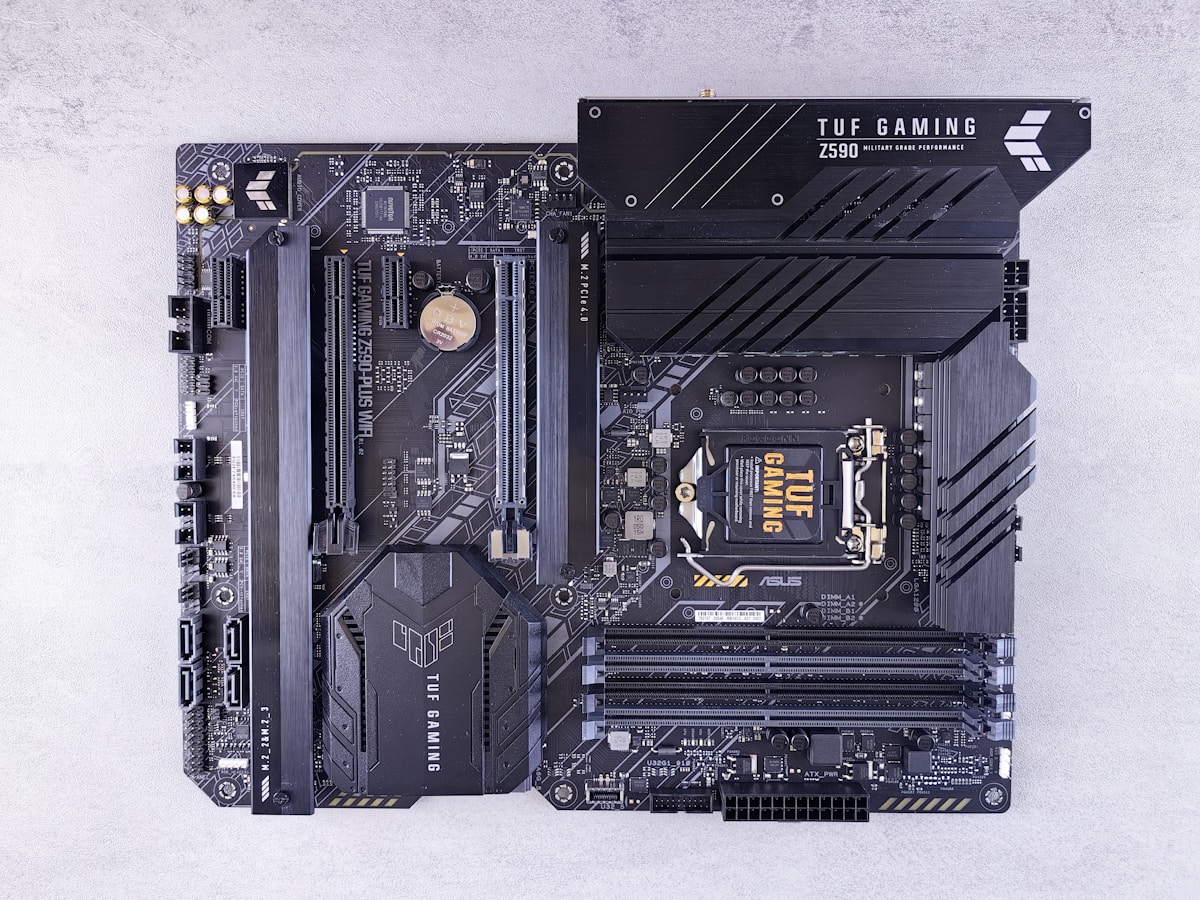
Open your motherboard box and set the board on its anti-static bag. Lift the CPU socket lever, align your processor (golden triangle matches socket triangle), and gently place it in. Zero force required — if you’re pushing, something’s wrong.
Drop the lever. Done.
Step 3: RAM Installation
Find the RAM slots (usually two or four long slots). Check your manual for which slots to use with two sticks — it’s typically slots 2 and 4, not 1 and 2.
Push the retention clips open. Line up the RAM notch with the slot notch. Press firmly on both ends until the clips snap closed. It takes more pressure than you’d expect.
Step 4: Storage Installation
M.2 NVMe drives slide into their slot at an angle, then screw down flat. One tiny screw holds it. Don’t overtighten — snug is enough.
Step 5: Motherboard in Case
Install your case’s I/O shield first. Then lower the motherboard in, aligning standoffs with mounting holes. Nine screws typically. Hand-tight, then a quarter turn with the screwdriver.
Step 6: Power Supply
Mount PSU in its cage (fan usually facing down for bottom-mount cases). Connect the 24-pin motherboard cable and 8-pin CPU cable first.
Step 7: Graphics Card
Remove the appropriate PCIe slot covers from your case’s back panel. Push the GPU into the top PCIe x16 slot until it clicks. Screw it to the case bracket. Connect PCIe power cables if your card requires them.
Step 8: Cable Management
Route cables behind the motherboard tray. Use zip ties or velcro straps. Good airflow means better thermals means better performance. Don’t skip this.
Software Setup for Maximum Performance
Your hardware means nothing without proper software optimization.
Install Windows 11 (or 10 if you prefer). Update everything. Then install your GPU drivers directly from AMD or NVIDIA’s website — never use Windows Update for graphics drivers.
Enable XMP/DOCP in BIOS to run your RAM at its rated speed. This takes 30 seconds and gives you free performance. Navigate to BIOS (usually Delete key at boot), find memory settings, enable the XMP profile, save and exit.
Common Budget Build Mistakes
Buying cheap power supplies. A $20 PSU can fry your entire system. Stick with known brands: Corsair, EVGA, Seasonic, be quiet!
Ignoring used markets. New isn’t always better. A used RX 6700 XT for $180 destroys a new RX 6600 for $150. Check eBay completed listings for real pricing.
Overspending on aesthetics. RGB fans look cool. They don’t make games run better. Allocate that $40 toward a better GPU instead.
And don’t obsess over synthetic benchmarks. Real gaming performance varies wildly from Cinebench scores. Watch actual gameplay footage of your target games on similar hardware.
Final Thoughts
Building a low-end gaming PC in 2024 isn’t about making painful compromises. It’s about being smart. The $450 build I outlined genuinely handles 95% of games at enjoyable settings. The $650 build competes with consoles and wins.
Start with what you can afford. Upgrade later. That’s the beauty of PC gaming — nothing’s permanent. Your $280 APU build today becomes a $500 beast when you drop in a used GPU next year.
Now stop reading and start building.